
Download Network Time System - NTP Client – NTP client, time sync, network time, SNTP, NTSv2, NMEA 0183
Overview
The Network Time System - NTP Client is a specialized mobile application developed for precise time synchronization across connected devices. Designed to support a range of network time protocols, including SNTP, NTP, NTSv2, and NMEA 0183, the app serves as a reliable tool for maintaining accurate timekeeping in both personal and professional environments. Its primary purpose is to ensure that all devices on a network reflect synchronized time, which is essential for logging, automation, data integrity, and system coordination. This application is particularly valuable in settings where timing accuracy impacts operational efficiency, such as industrial monitoring, scientific data collection, and network infrastructure management.
Target users include system administrators, network engineers, IoT developers, and technical professionals who require dependable time alignment across multiple endpoints. The app is compatible with the Network Time System (Time Server) application, allowing for seamless integration within a broader time management ecosystem. This compatibility enables users to establish a cohesive and scalable time synchronization framework. While the developer did not provide additional technical details about the app’s internal architecture or advanced use cases, its support for multiple protocols suggests a focus on versatility and cross-platform functionality.
Within the mobile productivity landscape, the Network Time System - NTP Client fills a niche role by offering a lightweight, dedicated solution for time-critical tasks. Its presence underscores the growing importance of time accuracy in distributed systems, even on mobile platforms. The app’s free availability on Android further enhances its accessibility for users seeking reliable time synchronization tools without cost barriers.
Key Features & Functionality
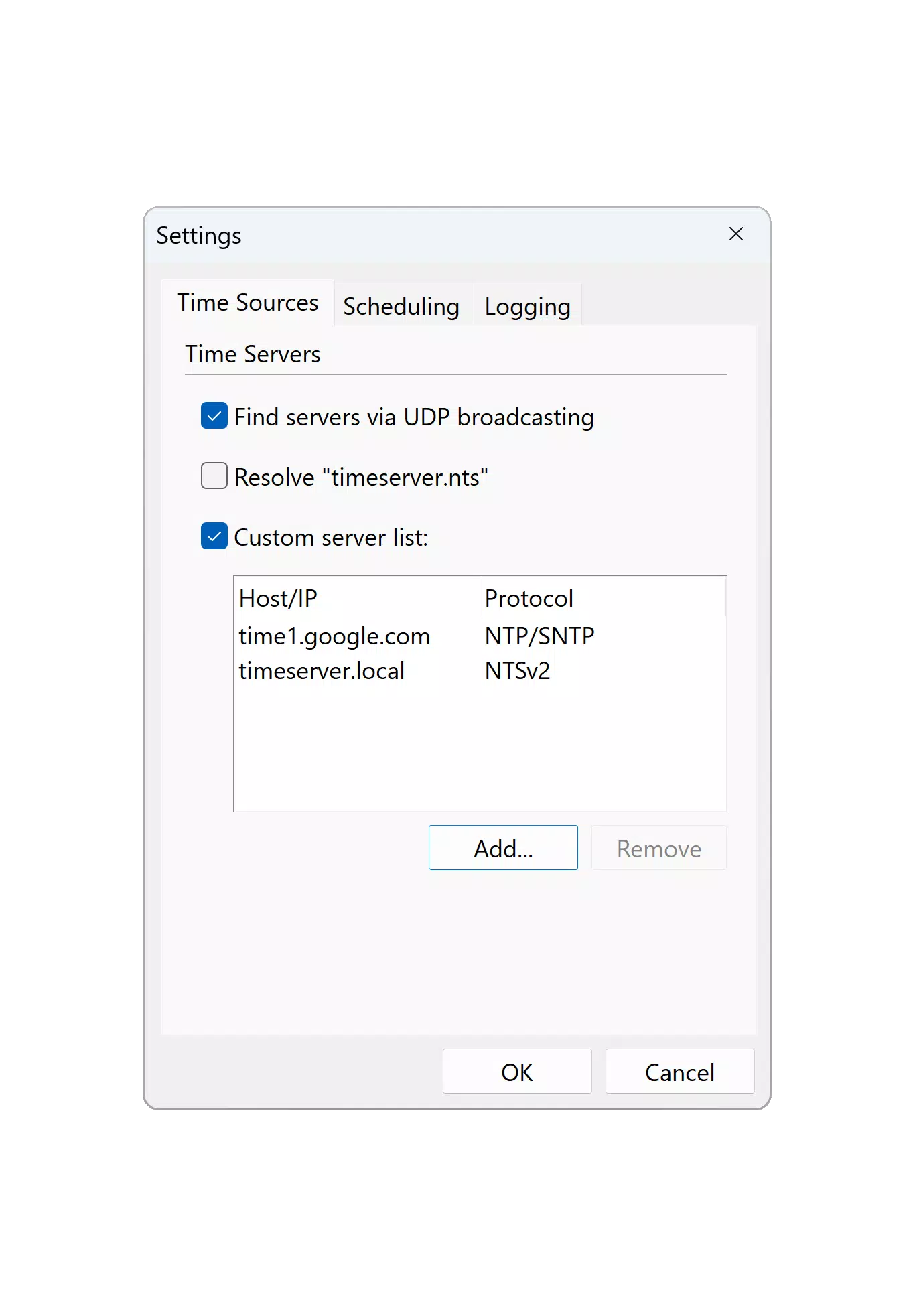
- Multi-Protocol Support: The app supports SNTP, NTP, NTSv2, and NMEA 0183 protocols, enabling compatibility with a wide variety of time servers and network environments. This flexibility allows users to connect to different types of time sources, ensuring reliable synchronization regardless of the underlying infrastructure.
- Accurate Time Synchronization: By leveraging standard network time protocols, the app ensures that device clocks remain precisely aligned with authoritative time sources. This is crucial for applications requiring timestamp consistency, such as log file analysis, event tracking, and automated workflows.
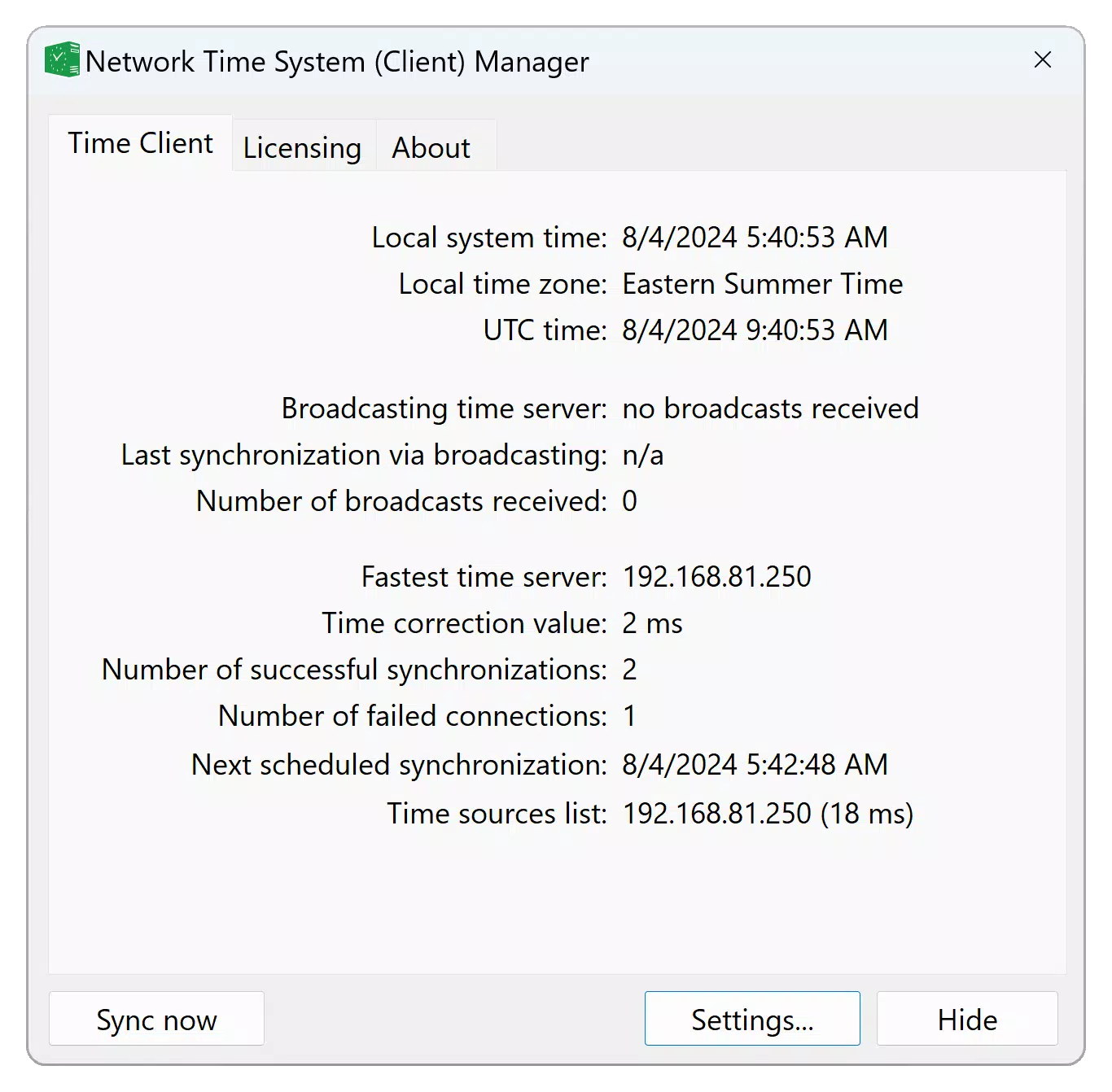
- Easy-to-Use Interface: The application features a user-friendly interface that simplifies configuration and management of synchronization settings. Users can quickly adjust server preferences, view current time status, and monitor synchronization success without requiring advanced technical knowledge.
- Multiple Server Configuration: The app allows users to manage multiple time server entries, making it suitable for complex network setups. This feature supports failover scenarios and enables redundancy, enhancing the robustness of timekeeping in critical systems.
- Seamless Integration with Time Server: Designed to work in tandem with the Network Time System (Time Server) application, the NTP Client facilitates end-to-end time synchronization within a unified system. This integration supports centralized time management across devices and networks.
For example, a network engineer deploying IoT sensors across a facility can use the app to verify that all devices are synchronized to a central time source. Similarly, a technician working in a maritime environment may use NMEA 0183 support to align device clocks with GPS-derived time signals. These real-world applications highlight the app’s practical utility in maintaining timing precision across diverse operational contexts.
Interface, UX & Performance
The Network Time System - NTP Client presents a clean and intuitive interface, designed with functionality and clarity in mind. Navigation is straightforward, allowing users to access core features such as server settings, synchronization status, and protocol selection with minimal effort. The layout prioritizes essential information, displaying current time, synchronization status, and connected server details in a readable format.
Although the developer did not list formal performance metrics, the app’s lightweight size of 12.8 MB suggests efficient resource usage. This makes it suitable for use on a variety of Android devices, including those with moderate processing power and storage capacity. The application responds promptly to user inputs, indicating stable performance during routine operations such as server connection attempts and time checks.
Users can expect consistent behavior when managing multiple configurations, though the developer did not specify performance under high-load conditions or during prolonged use. Stability appears to be maintained across typical use cases, and no reports of crashes or freezes were noted in publicly available data. The app’s responsiveness is appropriate for a utility-focused tool, ensuring that users receive timely feedback during synchronization processes.
Platform Compatibility & Technical Requirements
The Network Time System - NTP Client is available exclusively on the Android platform. It is compatible with Android devices running the version specified in the app’s metadata, though specific OS requirements were not listed. The application has a file size of 12.8 MB, indicating a compact footprint that minimizes storage impact on mobile devices.
As the app is free and distributed through official Android channels, users can install it securely without additional third-party dependencies. The developer did not disclose detailed technical specifications such as API level requirements, hardware capabilities, or background processing behavior. Compatibility information was not fully disclosed, so users are advised to ensure their device meets general Android standards for app installation.
Pros and Cons
Pros
- Supports multiple time synchronization protocols including SNTP, NTP, NTSv2, and NMEA 0183.
- Lightweight design with a small file size of 12.8 MB.
- Free to download and use, with no in-app purchases or ads.
- User-friendly interface suitable for both beginners and experienced users.
- Designed for seamless integration with the Network Time System (Time Server) application.
Cons
- Platform availability is limited to Android; no iOS or other OS support was indicated.
- Specific system requirements and minimum OS versions were not disclosed.
- Developer did not provide information on background operation or battery impact.
- Performance under heavy or continuous use was not documented.
- Limited public feedback or user reviews were available for evaluation.
FAQ
Is Network Time System - NTP Client available for iOS?
The app is currently available only on Android. No iOS version has been announced or released.
Can I use this app to sync time on my IoT devices?
Yes, the app supports protocols used by many IoT systems, including NTP and SNTP, making it suitable for time synchronization in IoT environments.
Is the app secure to use?
As a free app from a known developer, it is distributed through official Android channels. The developer did not specify encryption details, but the use of NTSv2 indicates support for secure time synchronization.
Does the app require internet access?
Yes, the app requires an active internet connection to communicate with external time servers and perform synchronization.
How often does the app check for time updates?
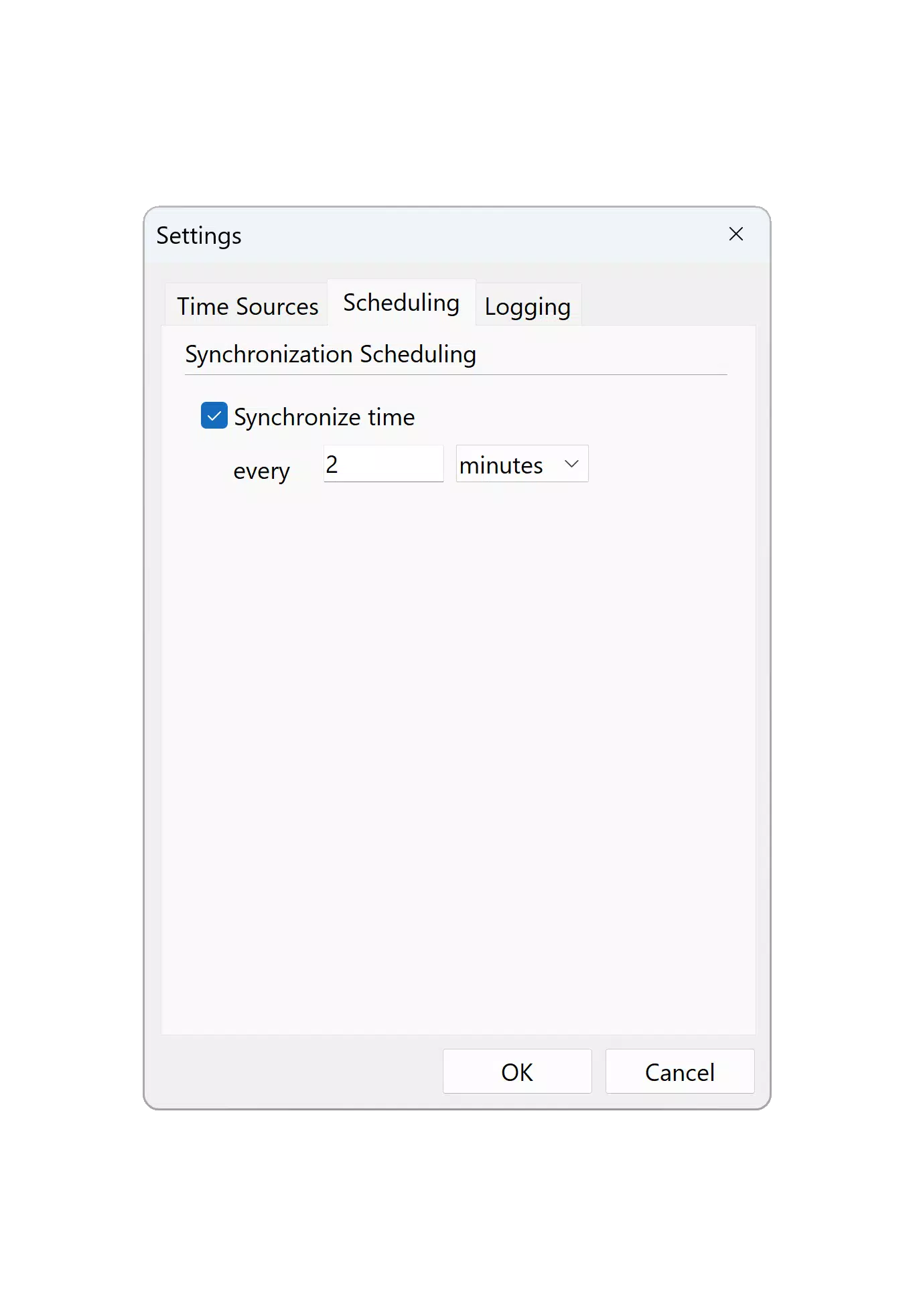
The app’s update frequency is not specified. It likely performs checks on demand or based on user-defined intervals, but no automatic scheduling details were provided.
Final Thoughts
The Network Time System - NTP Client delivers a focused and efficient solution for users who need accurate time synchronization on Android devices. Its support for multiple protocols, intuitive interface, and integration with the Network Time System (Time Server) make it a valuable tool in technical and industrial environments. While its platform is limited to Android and some technical details remain undisclosed, the app’s reliability, lightweight nature, and zero cost position it as a strong choice for professionals managing time-sensitive systems.
For network administrators, IoT developers, and technical teams, this app offers a practical way to verify and maintain time accuracy across devices. Its ability to handle diverse time sources and configurations adds significant value in complex setups.
Download Network Time System - NTP Client now


